

Files: CGFProjectorBehavior.cs
Path: “CGF/Systems/VisualEffects”
Asset Store
Description
Behavior that allows to the attatched gameobject manage a material with shader Projector Omni or Ortho.
Reference
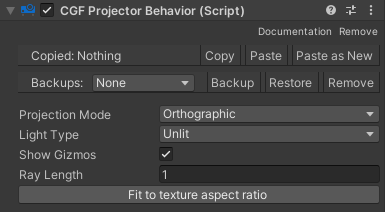
- Projection Mode – Projection mode.
- Orthographic – Rectangular projection.
- Omni – Spherical projection.
- Light Type – Light Type.
- Unlit – Without light.
- Lit Legacy – Legacy light.
- Lit Standard – Standard light.
- Show Gizmos – Show gizmos.
- Ray Length – Lenght of the direction indicator.
Use
Select a gameobject or prefab or multiple gameobjects and prefabs with a collider or multiple colliders of the same type to to change their collider properties.