

Files: CGFSortingLayerManagerTool.cs
Path: «CGF/Editor/Tools»
Menu: «Window/Chloroplast Games Framework/Sorting Layer Manager Tool»
Asset Store
Description
Tool that allows sort comfortably the sorting layers and order in layer of the elements from de current scene.
Reference
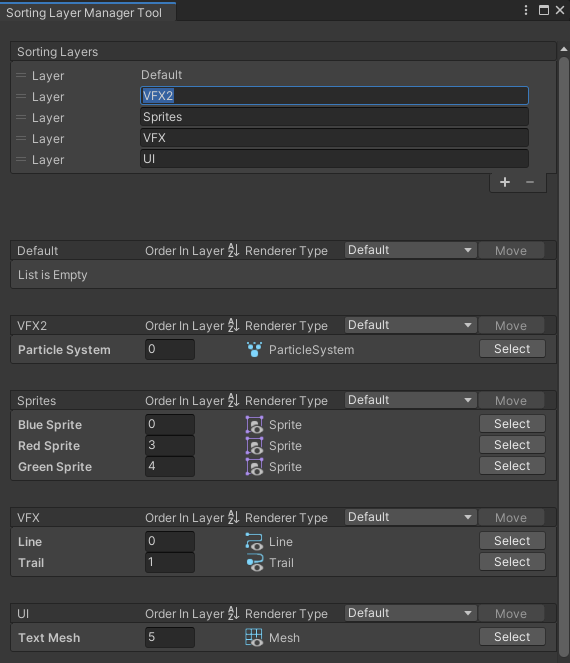
- Sorting Layers – Sorting layers of the project.
- Specific Sorting Layer – Specific enderers inside each sorting layer.
Use
With the top reorderable list you can sort (drag and drop), create and remove sorting layers.
With the bottom reorderable lists you can sort (drag and drop) the order in layer from each gameobject. Show all types of renderers (SpriteRenderer, ParticleSystem, LineRenderer, TrailRenderer and TextMesh) less the MeshRenderer. It also allows moving a gameobject from one sorting layer to another.
If you click on the icon (AZ⇣) to the right of the Order in layer column, the elements of the list are ordered according to their order in layer. Items can also be ordered by pressing the enter key after editing the Order in layer of an item in the list.
If you remove a sortign layers, all gameobjects from this sorting layer are moved to sorting layer “Default”.
Unity Sorting Layer Manager and Sorting Layer Manager Tool should not be used at the same time because it can cause errors.