

Files: ProjectorOmniLitLegacy.shader
Path: “CGF/Shaders/Lit/VFX”
Shader menu: “CG Framework/Unlit/VFX/Projector Omni Lit Legacy”
Asset Store
Description
Projector system to project light, shadows or decals at a low GPU cost.
Reference
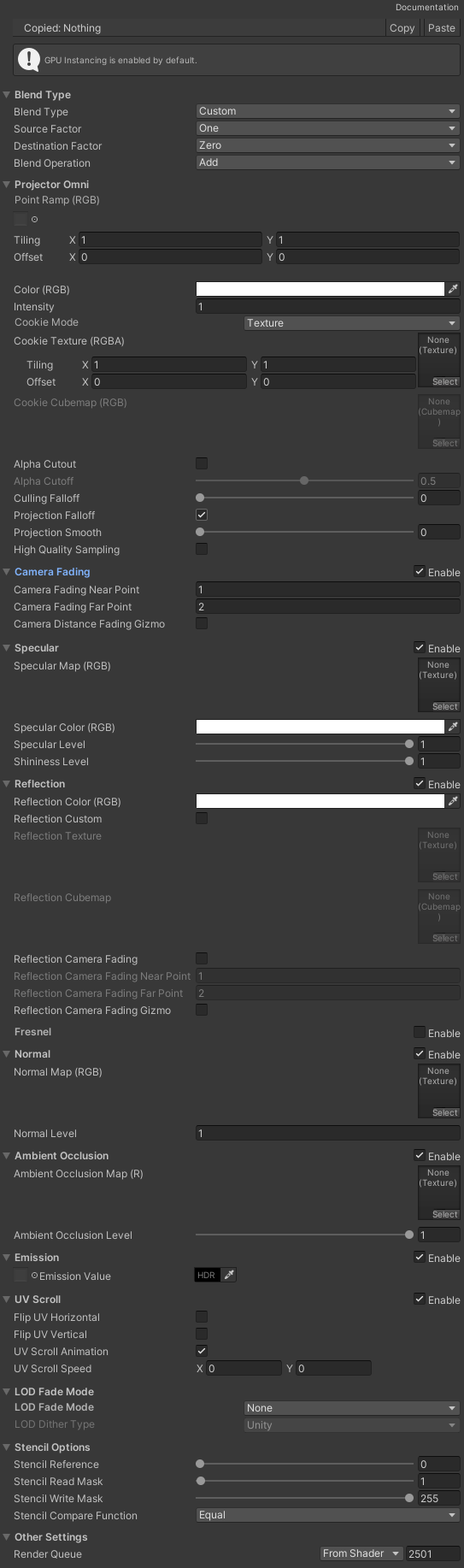
- Blend Type – Manages the blending type.
- Projector
- Point Ramp – Point ramp texture. Only uses the RGB channels.
- Color – Color of the projection.
- Intensity – Projection level intensity.
- Cookie Mode – Projection cookie mode.
- Cookie Texture – Projection texture.
- Cookie Cubemap – Projection cubemap.
- Alpha cutout – If enabled, cutout the alpha channel.
- Alpha cutoff – Alpha Cutoff value.
- Culling Falloff – Smoothing of the occlusion for the projection based on the projection forward direction.
- Projection Falloff – Falloff of the projection.
- Projection Smooth – Edge smoothing of the projection.
- High Quality Sampling – Avoid edge artifacts but increase the graphic consumption.
- Camera Fading – Alpha fading by the camera distance and the object surface.
- Specular – Specular light (Blinn-Phong).
- Reflection – Reflective surface.
- Fresnel – Fresnel effect.
- Normal – Normal mapping.
- Ambient Occlusion – Ambiental occlusion static effect.
- Emission – Emission color.
- UV Scroll – Scroll and Flip the UVs from a texture.
- LOD Fade Mode – Manages the Level Of Detail fading mode.
- Stencil Options – Stencil options configuration.
Use
Create a material with this shader and assign the material to the Material property of MeshRenderer component and add the CGFProjectorBehavior component to set the Projection mode (Orthographic or directional and Omni or point.) and the Lighting model type (Unlit, PBR (Standard) and PBR-like Blinn-Phong (Lit Legacy)).
To prevent to project onto some surfaces you can use the stencil options:
- On the projector material set the Stencil options like these:
- Stencil ZFail Operation to Keep
- Stencil Reference to 0
- Stencil Read Mask to 1
- Stencil Write Mask to 255
- Stencil Compare Function to Equal
- On the material that should avoid the projection set the Stencil options like these:
- Stencil Compare Function to Equal
- Stencil Reference to 1
- Stencil Read Mask to 255
- Stencil Write Mask to 255
- Stencil Comparison Function to Always
- Stencil Pass Operation to Replace
- Stencil Fail Operationto to Replace