
Files: CGFDistanceFogManager.cs
Path: «CGF/Systems/Shaders/Managers»
Description
Manager that allows to the attached gameobject sets the values of the assigned materials with a shader with a specific feature.
Reference
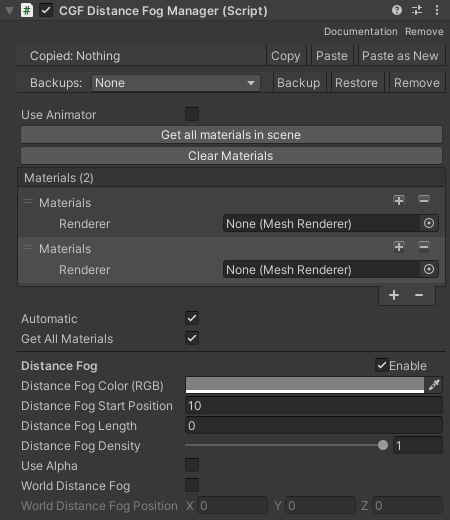
- Use animator – Allows animate the manager values.
- Get all materials in the scene – Add to the material list all the mesh renderers of the scene.
- Clear Materials – Remove all the mesh renderers from the material list.
- Materials – Material list with materials to manage.
- Automatic – Enable o disable the automatic start.
- Get All Materials – Allows to get all the supported materials in runtime.
- Distance Fog – Fog by camera distance.
Use
Add the manager to an empty gameobject, add mesh renderers to the list of materials, enable the feature that manages the manager and configure the settings of the feature.