
Files: CGFImageEffectAntiAliasingBehavior.cs
Path: "CGF/Systems/Shaders/ImageEffect"
Description
Behavior that allows the associated GameObject to apply an image effect shader with custom logic. Anti-aliasing effects.
Reference
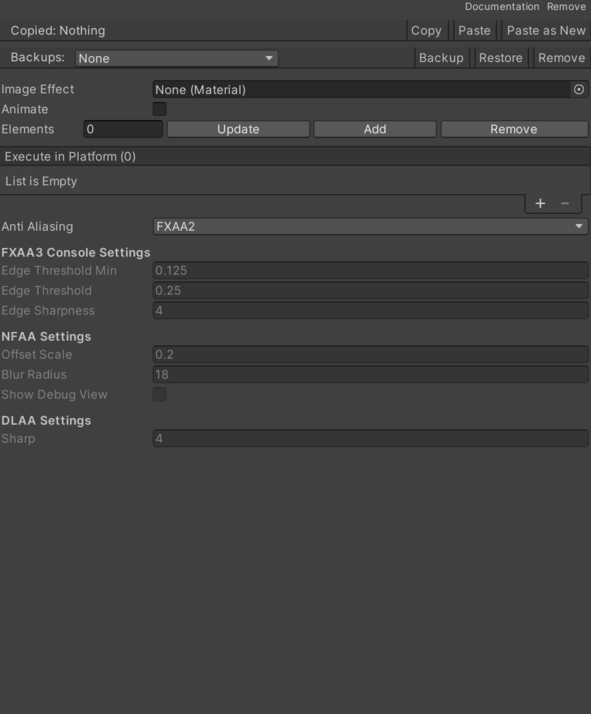
- Anti Aliasing – Pending documentation.
- FXAA 2 – Pending documentation.
- FXAA Preset 2 – Pending documentation.
- FXAA Preset 3 – Pending documentation.
- SSAA – Pending documentation.
- FXAA 3Console – Pending documentation.
- NFAA – Pending documentation.
- DLAA – Pending documentation.
- Blur Radius – Pending documentation.
- Edge Sharpness – Pending documentation.
- Edge Threshold – Pending documentation.
- Edge Threshold Min – Pending documentation.
- Offset Scale – Pending documentation.
- Sharp DLAA – Pending documentation.
- Show Debug View – Pending documentation.
Use
Add this component to the GameObject that should own the behavior.
Configure the inspector fields listed in Reference and assign the required scene or asset references before entering Play Mode.