
Files: Glow.shader
Path: "CGF/Shaders/Unlit/VFX"
Shader menu: "CG Framework/Unlit/VFX/Glow"
Description
Unity shader CG Framework/Unlit/VFX/Glow.
Reference
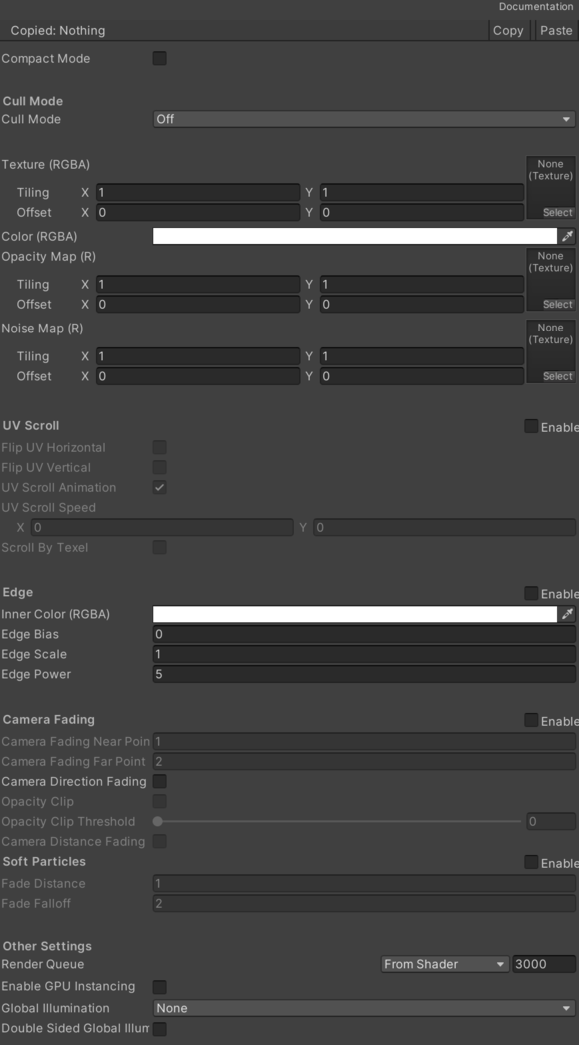
- Texture (RGBA) – Main texture.
- Color (RGBA) – Main color.
- Opacity Map (R) – Opacity mask map.
- Noise Map (R) – Noise opacity mask map.
- UV Scroll – Manages UV scrolling settings. See Common Features / UV Scroll.
- Flip UV Horizontal – Description.
- Flip UV Vertical – Description.
- Scroll By Textel – Description.
- Edge – Edge opacity effect.
- Inner Color (RGBA) – Edge innercolor.
- Edge Bias – Edge bias factor.
- Edge Scale – Edge scale factor.
- Edge Power – Edge power factor.
- Camera Fading – Opacity by camera distance and direction.
- Camera Fading Near Point – Start point of the fading. Offset to position camera.
- Camera Fading Far Point – End point of the fading.
- Camera Direction Fading – Opacity by camera direction.
- Opacity Clip – If enabled clips the mesh with less opacity than the opacity clip threshold.
- Opacity Clip Threshold – Opacity clip threshold.
- Soft Particles – Fade out particles when they get close to the surface of objects.
- Fade Distance – Fade length.
- Fade Falloff – Fallof value.
- Cull – Cull.
Use
Assign the shader from CG Framework/Unlit/VFX/Glow to a material.
Configure the grouped material properties listed in Reference from the Unity material inspector.