
Files: CGFColorManagerTool.cs
Path: "CGF/Editor/Tools"
Menu: "CGF/2D /Color Manager"
Description
Allows to generate a color ramp and extract colors from a image.
Reference
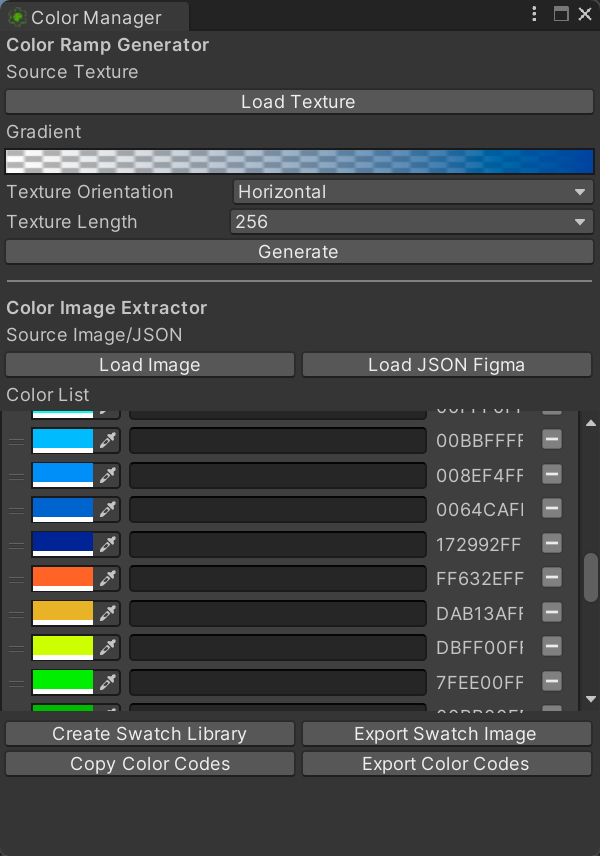
- Color Ramp Generator
- Texture Orientation – Direction in which the configured gradient is drawn into the exported texture.
- Generate – Create a texture asset from the current gradient, size and orientation settings.
- Color Image Extractor
- Load JSON Figma – Import colors from a Figma variables JSON file into the editable color list.
- Create Swatch Library – Create a Unity Color Preset Library from the colors currently listed.
- Export Swatch Image – Export the current color palette as an image containing labeled swatches.
- Copy Color Codes – Copy the current palette names and color codes to the system clipboard.
- Export Color Codes – Save the current palette names and color codes to a text file.
Use
Open the tool from CGF/2D /Color Manager in the Unity editor.
Use the controls listed in Reference to configure the window workflow.