
Files: CGFIssueFinderTool.cs
Path: "CGF/Editor/Tools"
Menu: "CGF/Optimization and Analysis/Issue Finder"
Description
Tool thats allows to finds issues such as missing components or references.
Reference
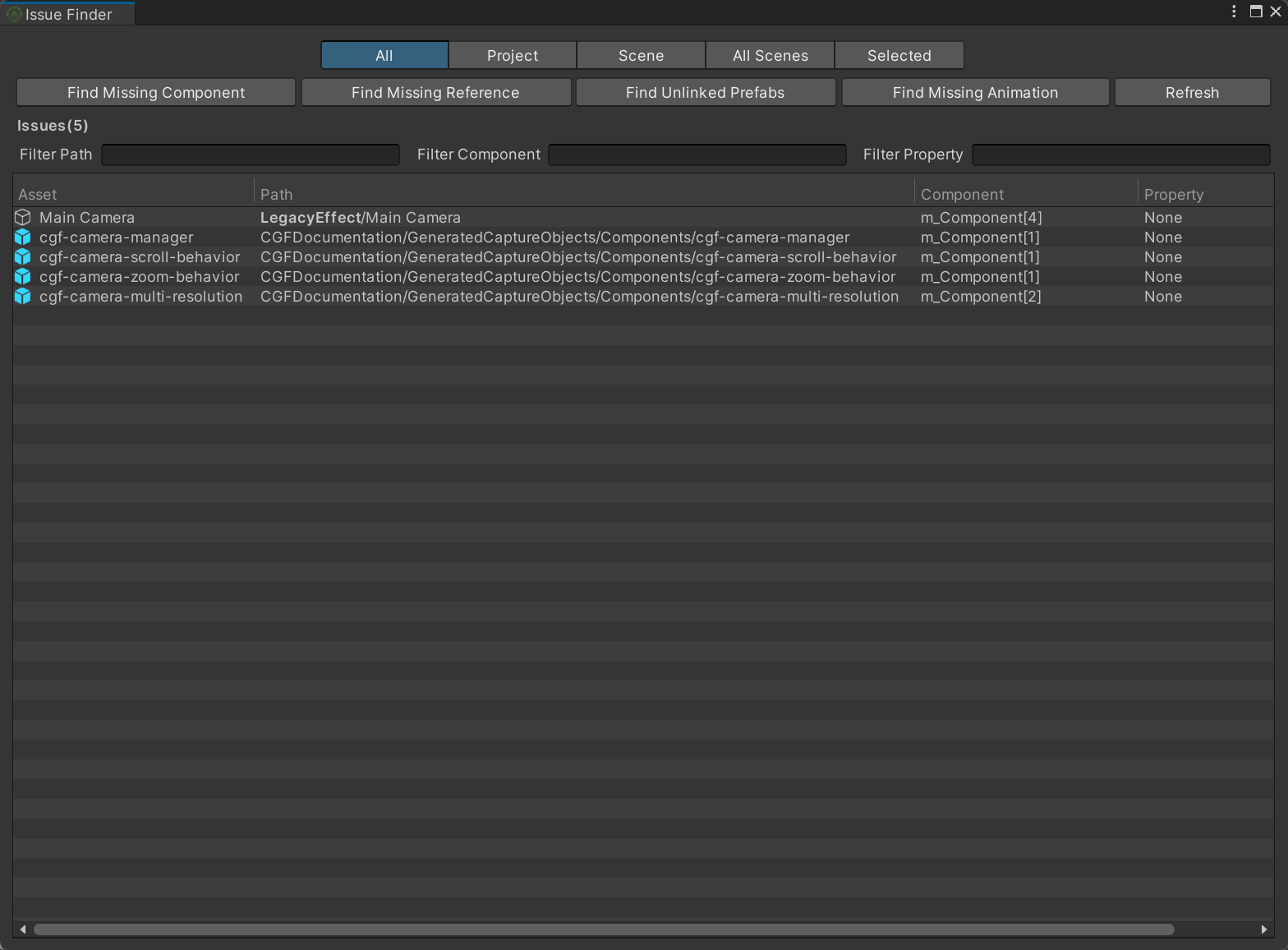
- Find Missing Component – Search the configured scope for GameObjects that contain missing MonoBehaviour components.
- Find Missing Reference – Search serialized components for object-reference fields whose target asset or object is missing.
- Find Unlinked Prefabs – Find scene objects that look like prefab instances but are no longer connected to a prefab asset.
- Find Missing Animation – Search Animator components and controllers for missing animation clips or motions.
- Refresh – Run the current issue scan again and update the results with the latest project state.
- Issues
- Filter Path – Show only results whose asset or hierarchy path contains this text.
- Filter Component – Show only results whose component type contains this text.
- Filter Property – Show only results whose serialized property name contains this text.
Use
Open the tool from CGF/Optimization and Analysis/Issue Finder in the Unity editor.
Use the controls listed in Reference to configure the window workflow.