
Files: CGFCanvasImageBlendBehavior.cs
Path: "CGF/Systems/UI/ImageComponent"
Description
Behavior that allows the associated gameobject apply a blend effect to the assigned sprite.
Reference
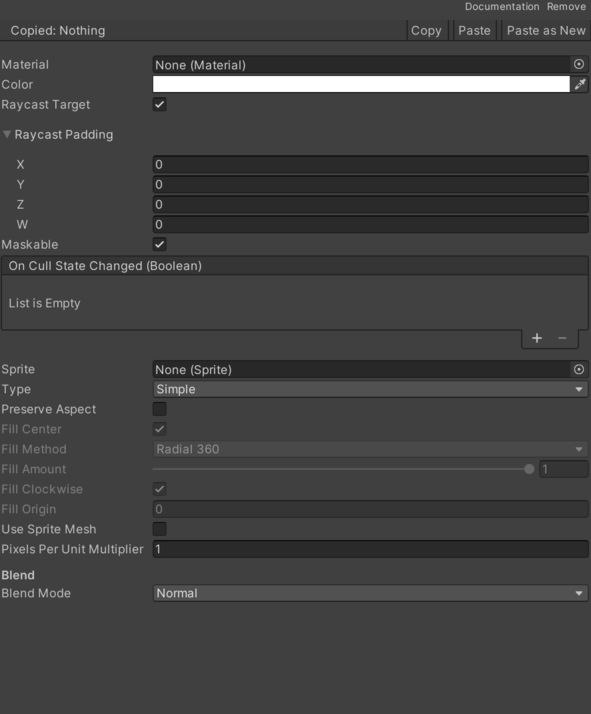
- Blend Mode – Current blur effect.
- Normal – Selects the normal option.
- Darken – Selects the darken option.
- Multiply – Selects the multiply option.
- Color Burn – Selects the color burn option.
- Linear Burn – Selects the linear burn option.
- Darker Color – Selects the darker color option.
- Lighten – Selects the lighten option.
- Screen – Selects the screen option.
- Color Dodge – Selects the color dodge option.
- Linear Dodge Or Additive – Selects the linear dodge or additive option.
- Lighter Color – Selects the lighter color option.
- Overlay – Selects the overlay option.
- Soft Light – Selects the soft light option.
- Hard Light – Selects the hard light option.
- Vivid Light – Selects the vivid light option.
- Linear Light – Selects the linear light option.
- Pin Light – Selects the pin light option.
- Hard Mix – Selects the hard mix option.
- Difference – Selects the difference option.
- Exclusion – Selects the exclusion option.
- Subtract – Selects the subtract option.
- Divide – Selects the divide option.
- Hue – Selects the hue option.
- Saturation – Selects the saturation option.
- Color – Selects the color option.
- Luminosity – Selects the luminosity option.
Use
Add this component to the GameObject that should own the behavior.
Configure the inspector fields listed in Reference and assign the required scene or asset references before entering Play Mode.