
Files: CGFFlowLayoutGroupController.cs
Path: "CGF/Systems/UI"
Description
Controller that allows the associated gameobject to control to flow layout controller that arranges child elements in rows or columns based on available space.
Reference
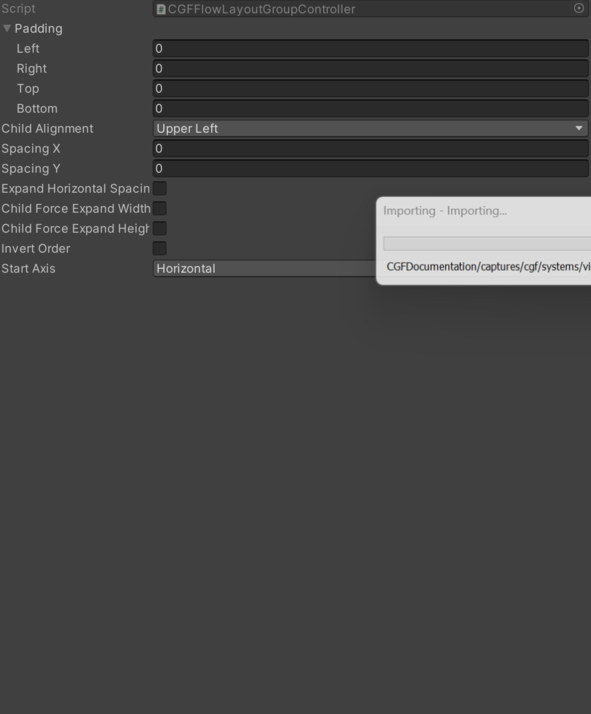
- Child Force Expand Height – Forces child elements to expand to fill available height when true.
- Child Force Expand Width – Forces child elements to expand to fill available width when true.
- Expand Horizontal Spacing – Determines if horizontal spacing should expand to fill extra space.
- Invert Order – If true, reverses the order in which child elements are arranged.
- Spacing X – Specifies horizontal spacing between child elements.
- Spacing Y – Specifies vertical spacing between child elements.
- Start Axis – Specifies the initial axis for layout; default is Horizontal.
- Horizontal – Layout children are arranged along the horizontal axis.
- Vertical – Layout children are arranged along the vertical axis.
Use
Add this component to the GameObject that should own the behavior.
Configure the inspector fields listed in Reference and assign the required scene or asset references before entering Play Mode.