
Files: CGFCanvasChangerBehavior.cs
Path: "CGF/Systems/UI"
Description
Behavior that allows the associated gameobject control canvas to change different order layer.
Reference
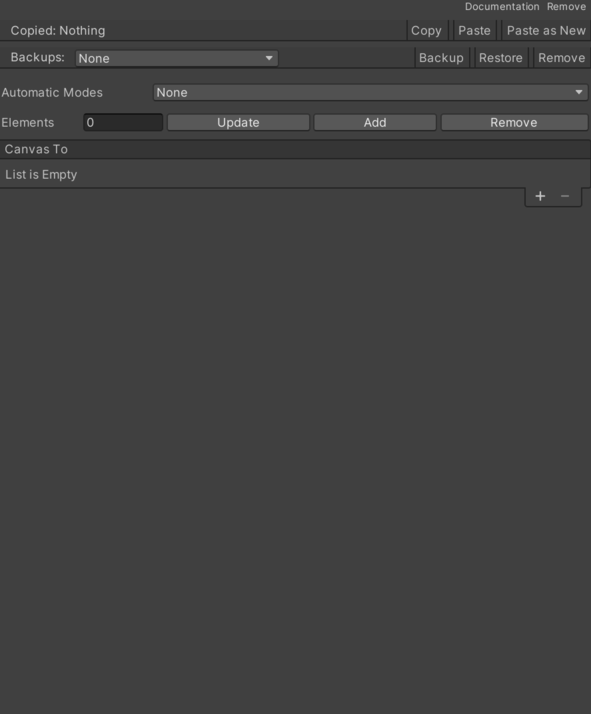
- Automatic Mode – Different ways to start the canvas change. See Common Features / Automatic Mode.
- Canvas To List – List of canvases to enable after the change.
- Canvas Item – Internal value used to configure canvas Item.
- First Selected – Gets the first selected GameObject in the canvas.
- Identifier – Gets the unique identifier for this canvas item.
- Delay – Time value in seconds used for delay.
- Scriptable Canvas Change – Which contains the values of duration, animation curve, offset, and object to move.
- Animation Curve – Inspector setting used by this component to configure animation curve.
- Duration – Duration of transition.
- Game Object To Move – Selected movement modes.
- None – There is no movement.
- Camera – Move the camera.
- Parent Camera – Selects the parent camera option.
- Top Parent Camera – Move the upper father.
- Offset – Destination canvas offset.
- Canvas Item – Internal value used to configure canvas Item.
- Delay – Delay before starting canvas change.
Use
Add this component to the GameObject that should own the behavior.
Configure the inspector fields listed in Reference and assign the required scene or asset references before entering Play Mode.