
Files: CGFDataConverterTool.cs
Path: "CGF/Editor/Tools"
Menu: "CGF/Objects/Data Converter"
Description
Window editor tool used to convert selected data assets between common formats.
Reference
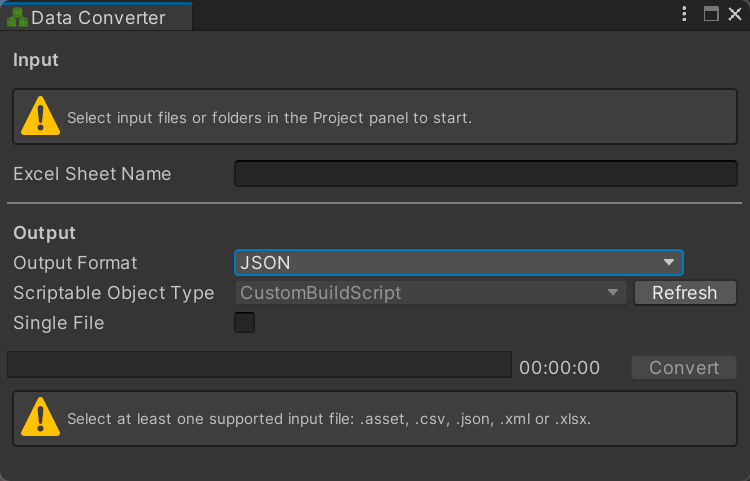
- Input
- Excel Sheet Name – Worksheet to read from selected Excel files. Leave empty to use the first worksheet.
- Output
- Output Format – Format used for the converted output files.
- Scriptable Object Type
- Refresh – Rescan loaded assemblies for ScriptableObject types available as conversion targets.
- Single File – Combine all selected input files into one output file instead of creating one output per source.
- Convert – Convert the selected data files or folders to the chosen output format and write them under Assets/DataConverted.
Use
Open the tool from CGF/Objects/Data Converter in the Unity editor.
Use the controls listed in Reference to configure the window workflow.