
Files: CGFMeshExplorerTool.cs
Path: "CGF/Editor/Tools"
Menu: "CGF/Optimization and Analysis/Mesh Explorer"
Description
Tool thats allows to custom window that show the vertexs/size info of all the objects of the scene.
Reference
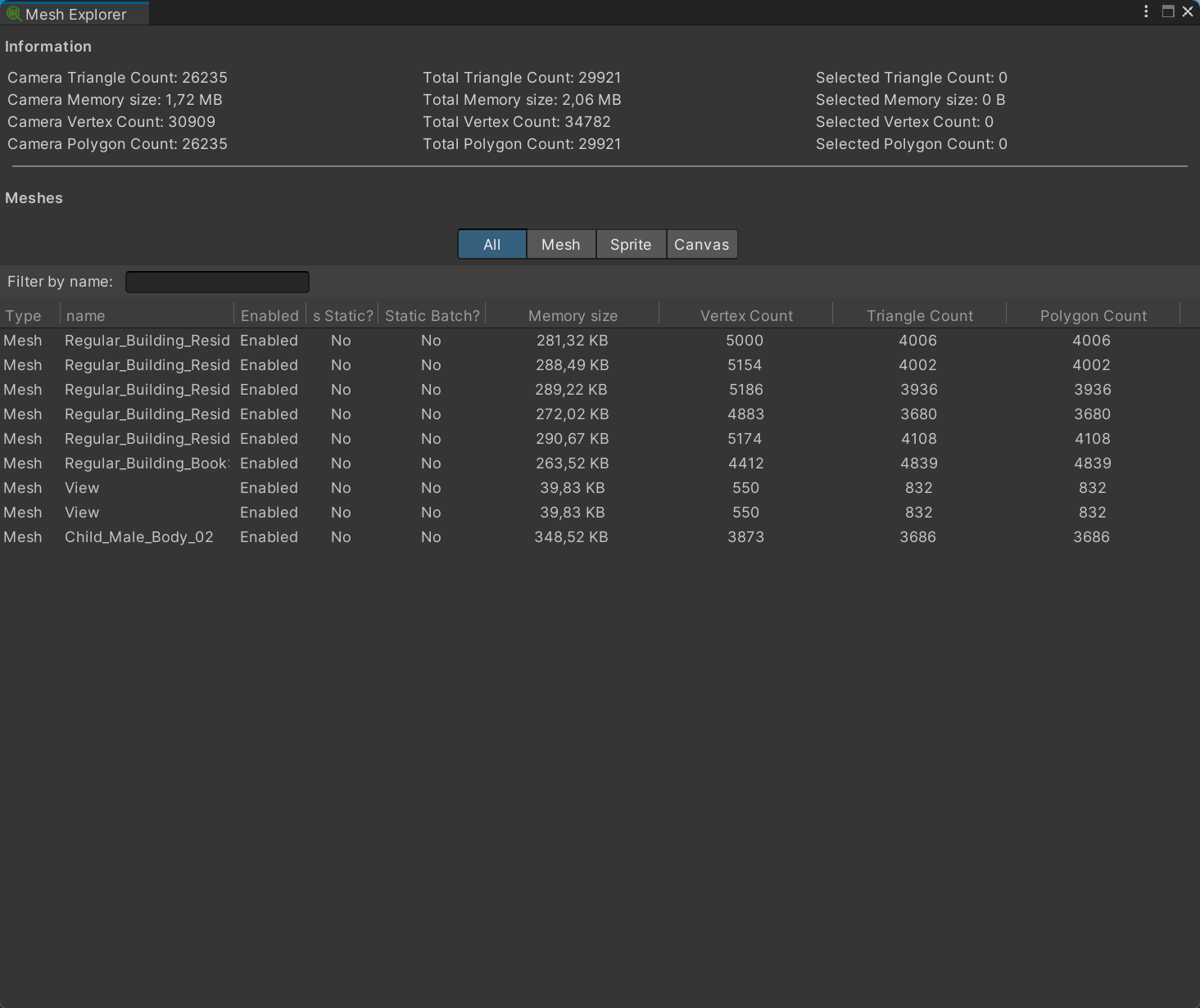
- Information
- Camera Triangle Count
- Camera Memory size
- Camera Vertex Count
- Camera Polygon Count
- Total Triangle Count
- Total Memory size
- Total Vertex Count
- Total Polygon Count
- Selected Triangle Count
- Selected Memory size
- Selected Vertex Count
- Selected Polygon Count
- Meshes
- Filter by name – Filter the mesh list by name.
Use
Open the tool from CGF/Optimization and Analysis/Mesh Explorer in the Unity editor.
Use the controls listed in Reference to configure the window workflow.