
Files: Color.shader
Path: "CGF/Shaders/ImageEffect"
Shader menu: "CG Framework/Image Effect/Color"
Description
Unity shader CG Framework/Image Effect/Color.
Reference
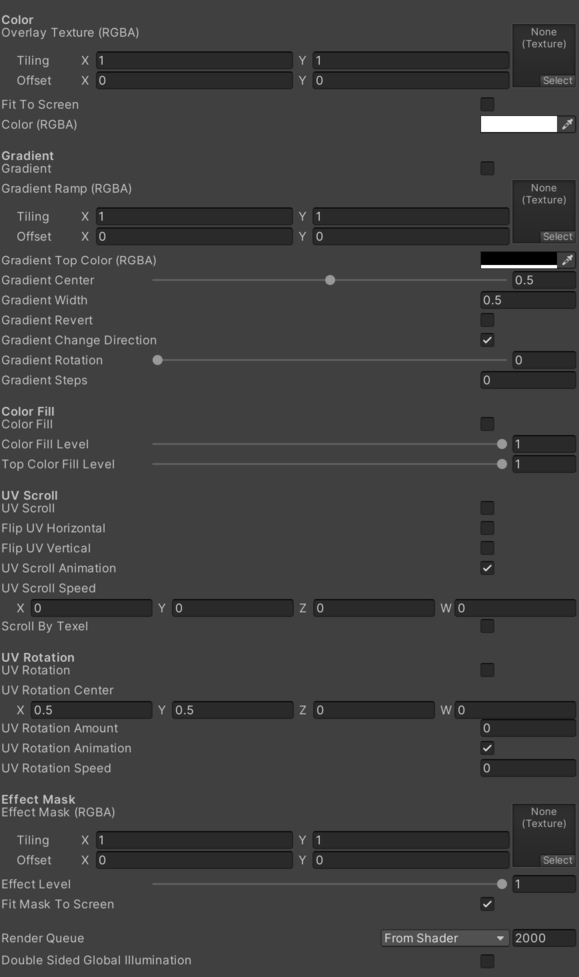
- Screen – Screen.
- Overlay Texture (RGBA) – Overlay texture.
- Fit To Screen – If enabled, fit texture to screen space.
- Color (RGBA) – Main color.
- Color Gradient – Color Gradient.
- Gradient Ramp (RGBA) – Gfradient Ramp.
- Gradient Top Color – Color of the top part of the gradient.
- Gradient Center – Gradient center.
- Gradient Width – Gradient width.
- Gradient Revert – Revert the orientation of the gradient.
- Gradient Change Direction – Change direction of the gradient.
- Gradient Rotation – Gradient rotation.
- Gradient Steps – Gradient steps.
- Color Fill – Color Fill.
- Color Fill Level – Level of color fill in relation the source color.
- Top Color Fill Level – Level of top color fill in relation the source color.
- UV Scroll – Manages UV scrolling settings. See Common Features / UV Scroll.
- Flip UV Horizontal – Description.
- Flip UV Vertical – Description.
- Scroll By Textel – Description.
- UV Rotation – Rotates the UVs from a texture.
- UV Rotation Center – UV Rotation Center.
- UV Rotation Amount – UV Rotation Amount.
- UV Rotation Animation – If enabled the UV they animated.
- UV Rotation Speed – UV Rotation Speed.
- Effect Mask (RGBA) – Color of the efect mask.
- Effect Level – Level of effect in relation the source color.
- Fit Mask To Screen – If enabled, fits the mask texture to screen size.
- Blend Mode – Blend Mode.
Use
Assign the shader from CG Framework/Image Effect/Color to a material.
Configure the grouped material properties listed in Reference from the Unity material inspector.