
Files: CGFPrimitiveArrowBehavior.cs
Path: "CGF/Systems/ObjectMesh/Primitives"
Description
Behavior that allows the associated gameobject to creating primitive 3D arrow meshes.
Reference
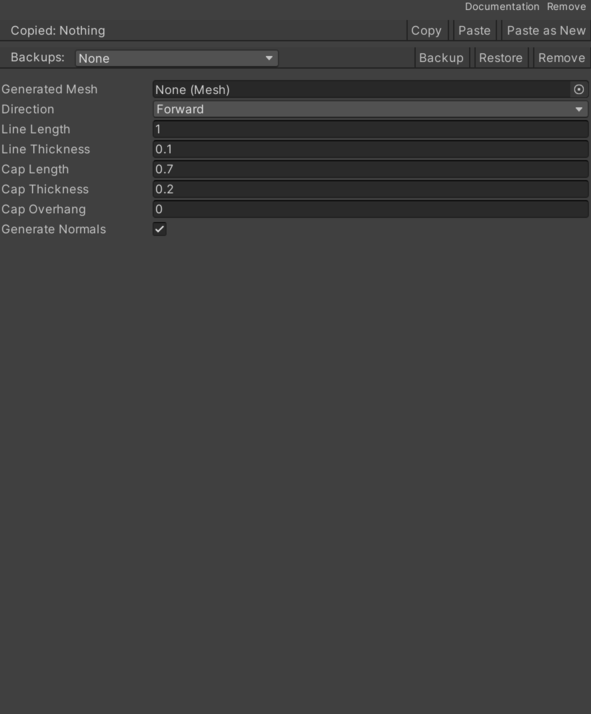
- Cap Length – Length of the arrow's cap.
- Cap Overhang – Overhang of the arrow cap beyond the line segment.
- Cap Thickness – thickness of the arrow's cap.
- Direction – Length of the arrow's line segment.
- Bottom – Bottom side position.
- Left – Left side position.
- Right – Right side position.
- Top – Numeric setting that configures top.
- Right – Rightward direction.
- Left – Leftward direction.
- Up – Upward direction.
- Down – Downward direction.
- Forward – Forward direction.
- Back – Backward direction.
- Generate Normals – Determines whether normals should be generated for the mesh.
- Line Length – Length of the arrow's line segment.
- Line Thickness – thickness of the arrow's line segment.
Use
Add this component to the GameObject that should own the behavior.
Configure the inspector fields listed in Reference and assign the required scene or asset references before entering Play Mode.