
Files: CGFOrthoObjectScalerBehavior.cs
Path: "CGF/Systems/ObjectTransform"
Description
Responsible for scaling a Sprite, mesh, and collider to the orthographic camera size.
Reference
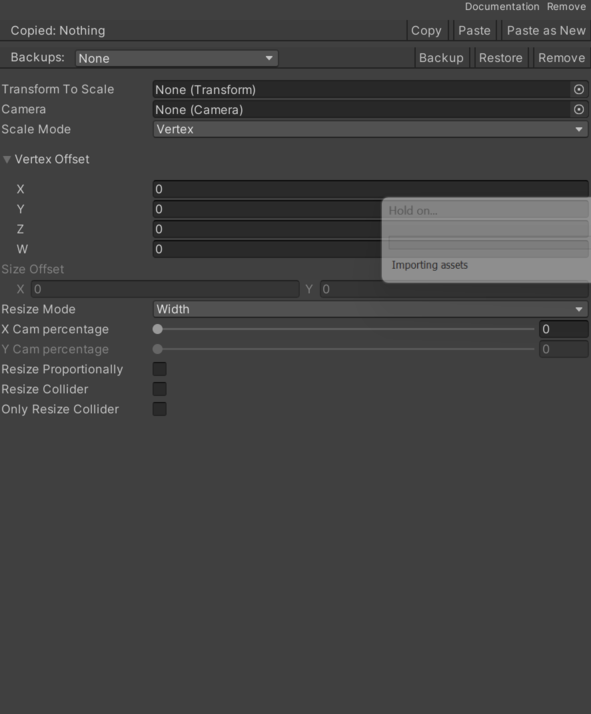
- Camera – Camera used to calculate the scale. See Common Features / Camera.
- Only Resize Collider – If active, it will only scale the collider.
- Resize Collider – If enabled, the collider is also scaled.
- Resize Mode – Selected scaling mode.
- Width – Width scaling mode.
- Height – Height scaling mode.
- Both – Width and height scaling mode.
- Resize Proportionally – If enabled, the object will be scaled proportionally.
- Scale Mode – Selected scaling mode.
- Vertex – Vertex scaling modes.
- Size – Scaling modes through _transforToScale.scale.
- Size Offset – Object resize offset.
- Transfor To Scale – Transform used to apply scaling.
- Vertex Offset – Left side vertex offset.
- X Cam Percentage – Percentage of the screen X axis to scale.
- Y Cam Percentage – Percentage of the screen Y axis to scale.
Use
Add this component to the GameObject that should own the behavior.
Configure the inspector fields listed in Reference and assign the required scene or asset references before entering Play Mode.