
Files: CGFSelectableEventsBehavior.cs
Path: "CGF/Systems/UI"
Description
Additional events for Selectable canvas objects (Button, Toggle…).
Reference
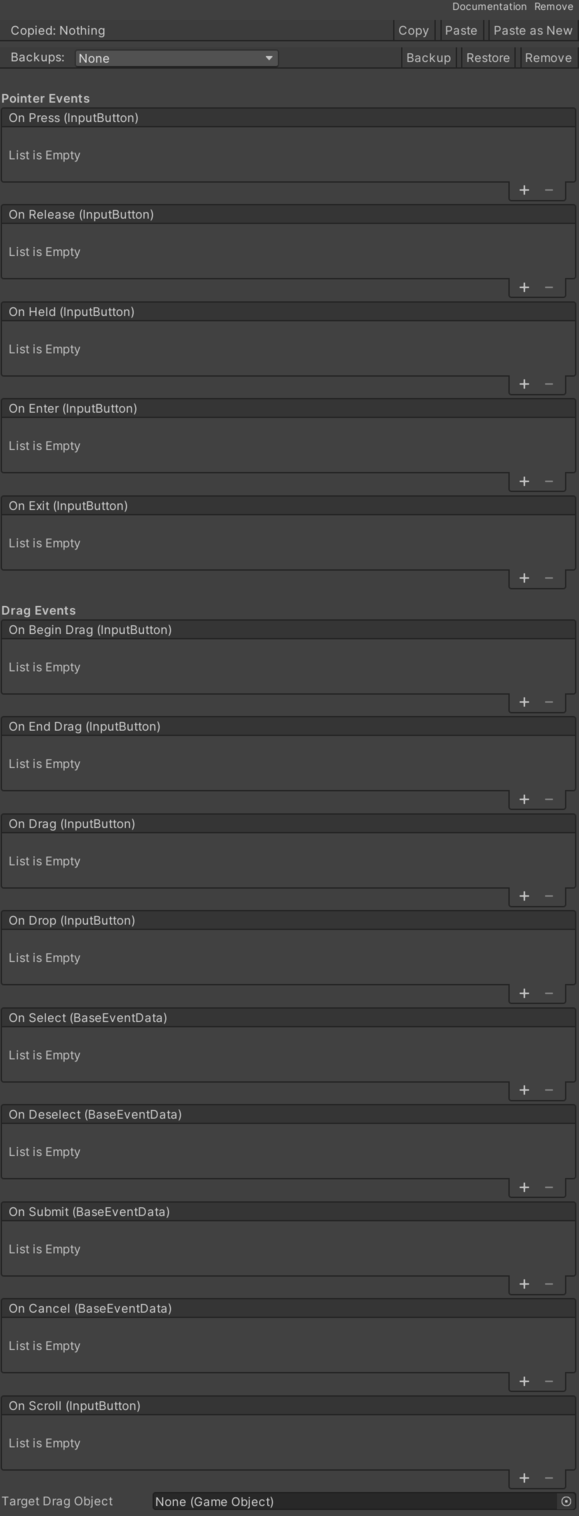
- On Begin Drag – Pending documentation.
- On Cancel – Event for the state where the object is being dragged by the cursor.
- On Deselect – Event for the state where the object is being dragged by the cursor.
- On Drag – Event for the state where the object is being dragged by the cursor.
- On Drop – Event for the state where the object is being dragged by the cursor.
- On End Drag – Event for the end of the state where the object is being dragged by the cursor.
- On Enter – Event for the start of the state where the cursor is over the object.
- On Exit – Event for the start of the state where the cursor is outside the object.
- On Held – Event during the pressed state.
- On Press – Pending documentation.
- On Release – Event for the end of the pressed state.
- On Scroll – Event for the state where the object is being dragged by the cursor.
- On Select – Event for the state where the object is being dragged by the cursor.
- On Submit – Event for the state where the object is being dragged by the cursor.
- Target Drag Object – Event for the state where the object is being dragged by the cursor.
Use
Add this component to the GameObject that should own the behavior.
Configure the inspector fields listed in Reference and assign the required scene or asset references before entering Play Mode.