
Files: CGFPrefabManagerTool.cs
Path: "CGF/Editor/Tools"
Menu: "CGF/Objects/Prefab Manager"
Description
Tool that allows to regenerating and replacing GUIDs for assets in a Unity project.
Reference
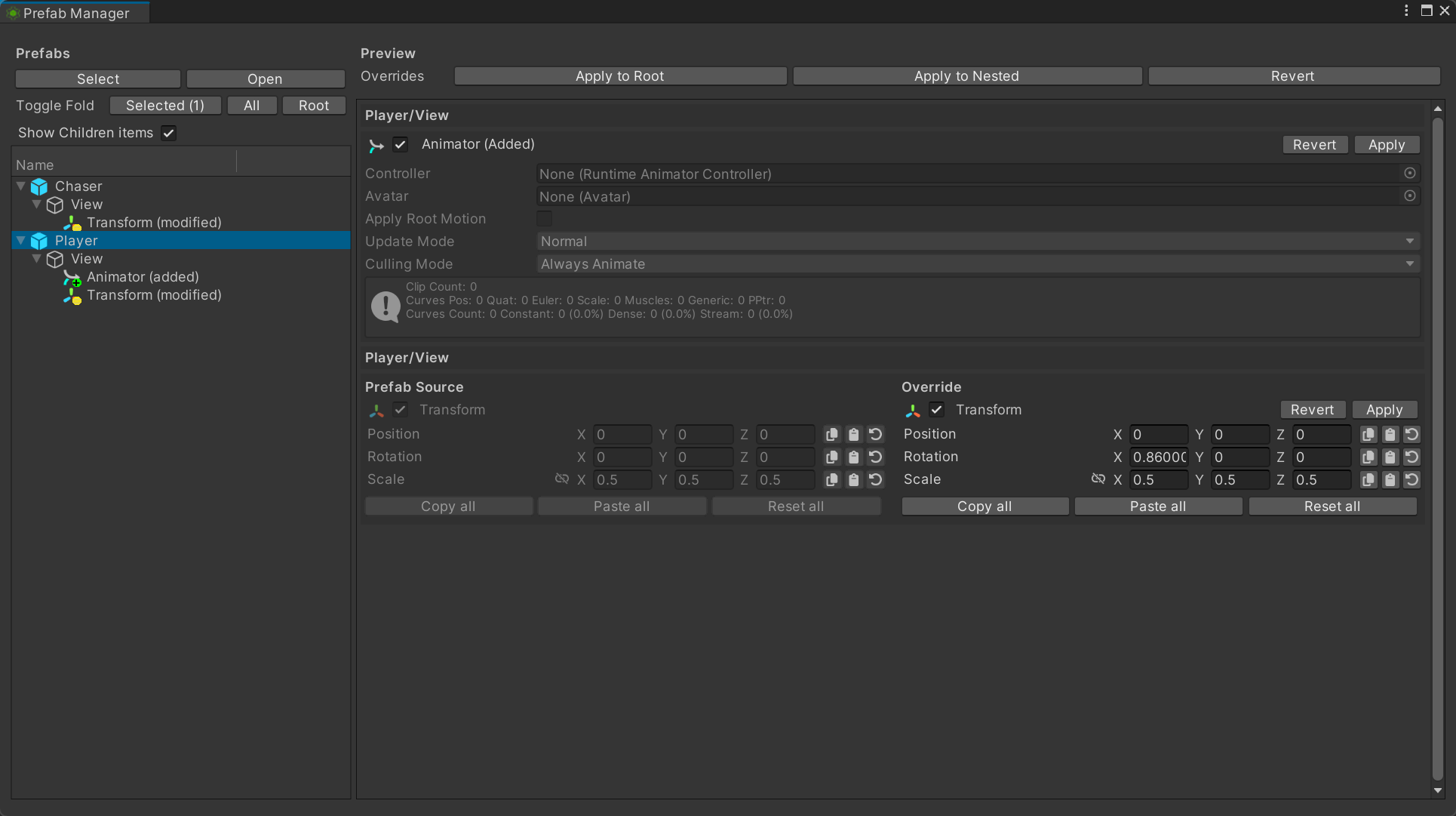
- Prefabs
- Select – Select the highlighted prefab instance in the Hierarchy or Project window.
- Open – Open the highlighted prefab asset in Prefab Mode.
- Toggle Fold
- All – Toggle the expanded state of every prefab entry in the tree.
- Root – Toggle only the root prefab entries in the tree.
- Show Children items – Include nested child objects when previewing the overrides of the selected prefab instance.
- Preview
- Overrides
- Revert – Remove this instance-only component and restore the source prefab structure.
- Apply – Add this instance-only component to the source prefab asset and keep it on the instance.
- Revert – Restore this removed component on the prefab instance without changing the source prefab asset.
- Apply – Remove this component from the source prefab asset so the removal becomes the prefab default.
- Revert – Discard this component's instance overrides and restore the values from the source prefab.
- Apply – Copy this component's overridden values to the source prefab asset, then clear the instance override.
Use
Open the tool from CGF/Objects/Prefab Manager in the Unity editor.
Use the controls listed in Reference to configure the window workflow.