
Files: CGFCanvasAdaptiveGridLayoutBehavior.cs
Path: "CGF/Systems/UI"
Description
Behavior that allows a canvas GridLayoutGroup to automatically resize its cells based on the container size and child count.
Reference
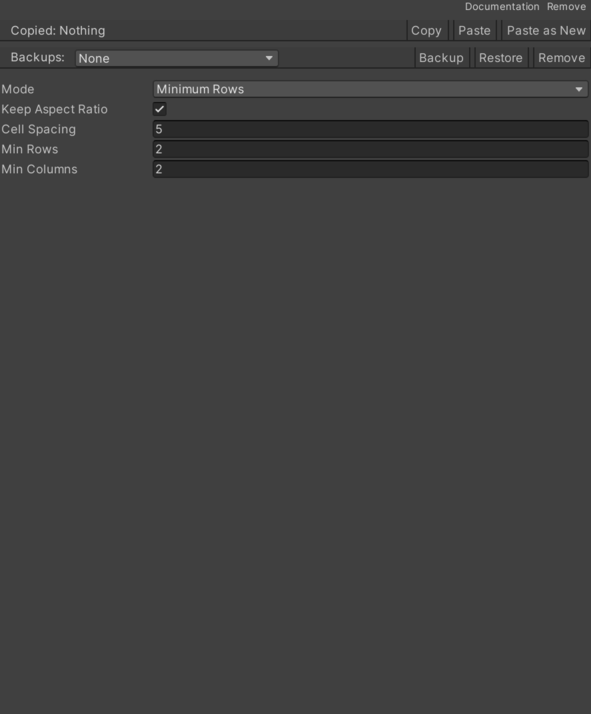
- Cell Spacing – Spacing applied between grid cells.
- Keep Aspect Ratio – If enabled, cells keep a square aspect ratio.
- Min Columns – Minimum amount of columns used by MinimumColumns and Auto modes.
- Min Rows – Minimum amount of rows used by MinimumRows and Auto modes.
- Mode – Defines how the grid calculates the number of rows and columns.
- Minimum Rows – Keeps at least the configured minimum amount of rows.
- Minimum Columns – Keeps at least the configured minimum amount of columns.
- Auto – Chooses the row and column count that maximizes the cell size while respecting the configured minimums.
Use
Add this component to the GameObject that should own the behavior.
Configure the inspector fields listed in Reference and assign the required scene or asset references before entering Play Mode.