
Files: CGFCameraAnchorPositionBehavior.cs
Path: "CGF/Systems/Cam"
Description
Behavior that allows the GameObject to adapt its position relative to the camera dimensions (viewport).
Reference
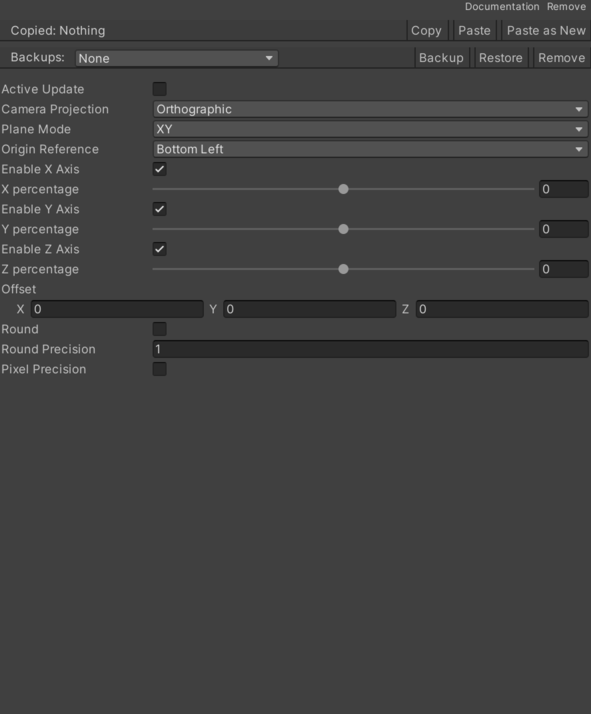
- Active Update – Enables update at runtime.
- Camera – Mode according to the selected camera view. See Common Features / Camera.
- Enable X Axis – Controls whether enable X Axis is enabled.
- Enable Y Axis – Controls whether enable Y Axis is enabled.
- Enable Z Axis – Controls whether enable Z Axis is enabled.
- Offset – Displacement offset on the 3 axes.
- Origin Reference – Selected positioning mode.
- Bottom Left – Bottom-left position.
- Bottom Center – Bottom-centered position.
- Bottom Right – Bottom-right position.
- Middle Left – Middle-left position.
- Middle Center – Middle-center position.
- Middle Right – Middle-right position.
- Top Left – Top-left position.
- Top Center – Top-center position.
- Top Right – Top-right position.
- Ortho Camera Anchor Manager – Cached CGFCameraAnchorManager reference used by this component.
- Pixel Precision – Pixel precision level.
- Plane Mode – Mode according to the selected axes.
- XY – X and Y plane.
- XZ – X and Z plane.
- YZ – Y and Z plane.
- Round – Enables or disables precision mode.
- Round Accuracy – Rounding precision level.
- X Percentage – Displacement percentage on X.
- Y Percentage – Displacement percentage on Y.
- Z Percentage – Displacement percentage on Z.
Use
Add this component to the GameObject that should own the behavior.
Configure the inspector fields listed in Reference and assign the required scene or asset references before entering Play Mode.