
Files: CGFPropertyBinderBehavior.cs
Path: "CGF/Systems"
Description
Applies an inspector or animation driven value to a reflected property or field.
Reference
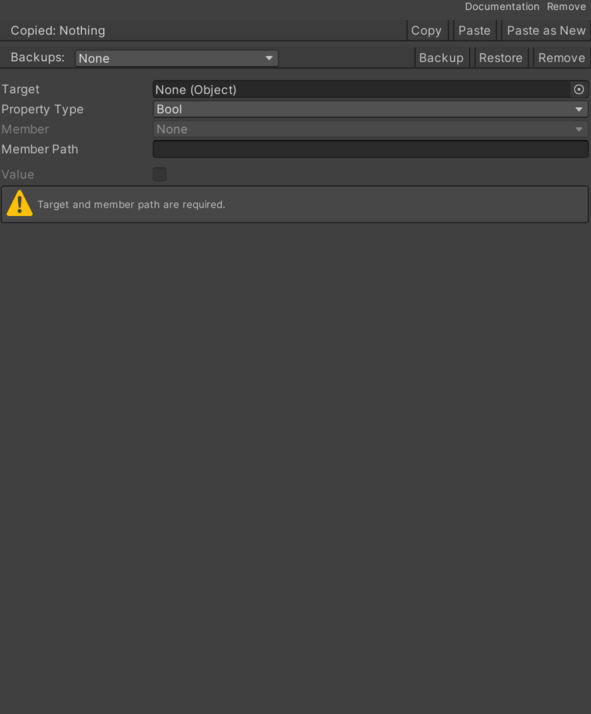
- Bool Value – Boolean value applied when the binder type is Bool.
- Color Value – Color value applied when the binder type is Color.
- Float Value – Floating point value applied when the binder type is Float.
- Int Value – Integer value applied when the binder type is Int.
- Property Path – Dot-separated path to the field or property that receives the value.
- Property Type – Serialized value type currently used by the binder.
- Bool – Boolean value binding.
- Int – Integer value binding.
- Float – Floating point value binding.
- String – String value binding.
- Color – Color value binding.
- Vector 2 – Vector2 value binding.
- Vector 3 – Vector3 value binding.
- String Value – String value applied when the binder type is String.
- Target – Unity object that owns the reflected field or property.
- Vector 2Value – Vector2 value applied when the binder type is Vector2.
- Vector 3Value – Vector3 value applied when the binder type is Vector3.
Use
Add this component to the GameObject that should own the behavior.
Configure the inspector fields listed in Reference and assign the required scene or asset references before entering Play Mode.