
Files: CGFRuntimeDebuggerViewportActionBehavior.cs
Path: "CGF/Systems/RuntimeDebugger/Scripts/Actions"
Description
Behavior for managing the main container button, toggling panel visibility and updating icon state based on user clicks.
Reference
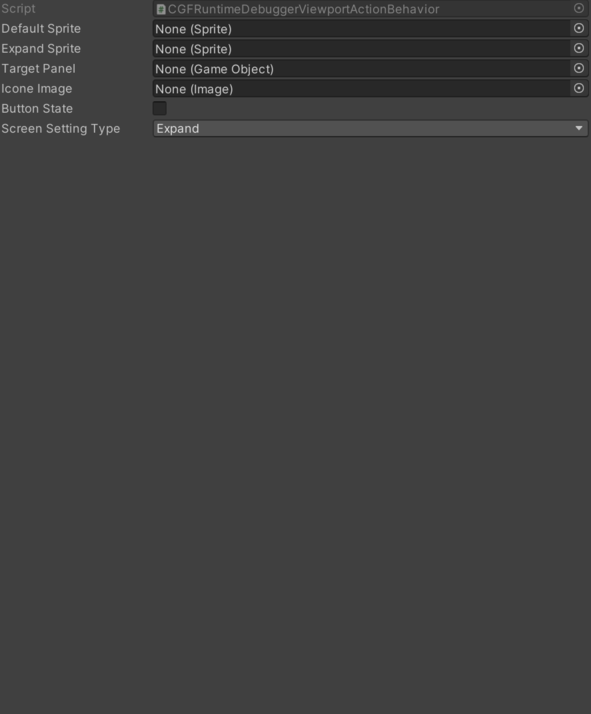
- Button State – Current state of the button; true if expanded, false if collapsed.
- Default Sprite – Sprite used for the default (collapsed) button icon.
- Expand Sprite – Sprite used for the expanded button icon.
- Icone Image – Image component used to display the button icon.
- Screen Setting Type – Specifies the type of screen setting for the debugger event.<.
- Expand – Enables an expanded display layout.
- Full Screen – Enables a fullscreen display layout.
- Target Panel – Reference to the target panel GameObject whose visibility is toggled.
Use
Add this component to the GameObject that should own the behavior.
Configure the inspector fields listed in Reference and assign the required scene or asset references before entering Play Mode.