
Files: CGFCanvasOrientationRectTransformBehavior.cs
Path: "CGF/Systems/UI"
Description
Behavior that applies different RectTransform values depending on the current orientation.
Reference
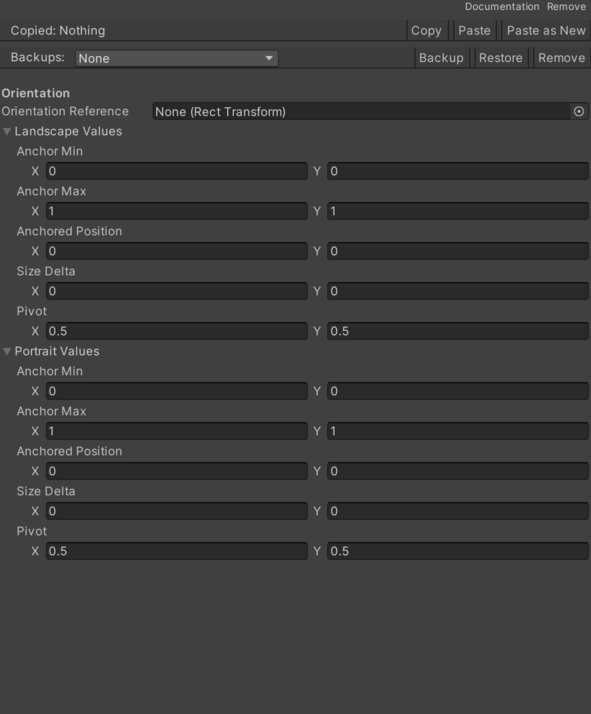
- Landscape Values – RectTransform values used when width is greater than or equal to height.
- Anchor Max – Internal value that defines the anchor Max.
- Anchor Min – Internal value that defines the anchor Min.
- Anchored Position – Internal value that defines the anchored Position.
- Pivot – Internal value that defines the pivot.
- Size Delta – Internal value that defines the size Delta.
- Orientation Reference – RectTransform used to detect the current orientation. If empty, parent is used.
- Portrait Values – RectTransform values used when height is greater than width.
- Anchor Max – Internal value that defines the anchor Max.
- Anchor Min – Internal value that defines the anchor Min.
- Anchored Position – Internal value that defines the anchored Position.
- Pivot – Internal value that defines the pivot.
- Size Delta – Internal value that defines the size Delta.
Use
Add this component to the GameObject that should own the behavior.
Configure the inspector fields listed in Reference and assign the required scene or asset references before entering Play Mode.