
Files: CGFCanvasSwitchButtonBehavior.cs
Path: "CGF/Systems/UI"
Description
Behavior that allows the associated GameObject to change the sprite used in the Image component of a Button object.
Reference
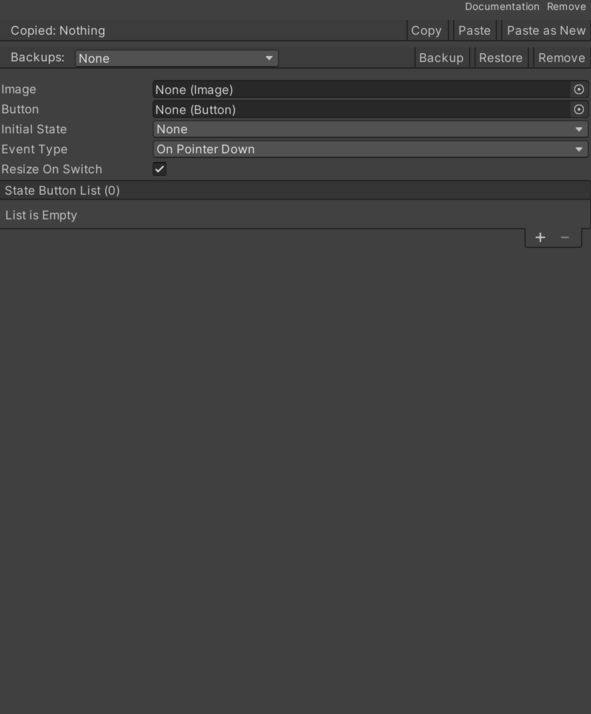
- Button – Access to the button.
- Event Type – Internal value used to configure event Type.
- On Pointer Down – Event when clicking a Selectable UI element with the mouse.
- On Submit – Event triggered when executing the Submit button configured in the EventSystem on a Selectable UI element.
- On Pointer Down And On Submit – Event when clicking with the mouse or executing the Submit button configured in the EventSystem on a Selectable UI element.
- Image – Cached Image reference used by this component.
- Initial State – Text used to identify or display initial state.
- Resize On Switch – Resize image object on switch based on the new sprite size.
- State – List of StateButton. See Common Features / State.
Use
Add this component to the GameObject that should own the behavior.
Configure the inspector fields listed in Reference and assign the required scene or asset references before entering Play Mode.