
Files: CGFCanvasTriggerToggleBehavior.cs
Path: "CGF/Systems/UI"
Description
Behavior that allows the associated gameobject to apply a trigger-like visual state without using Selectable animation transitions to a Toggle component.
Reference
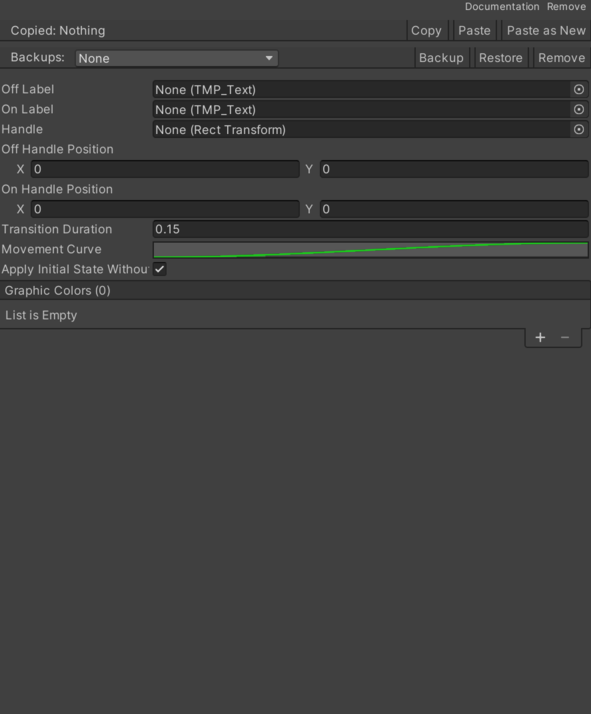
- Apply Initial State Without Transition – Applies the initial visual state without transition when the component is enabled.
- Graphic Colors List – Graphics recolored according to the current toggle state.
- Graphic – Graphic that will receive the state color.
- Off Color – Color applied when the trigger is off.
- On Color – Color applied when the trigger is on.
- Handle – Do not assign this RectTransform to Toggle.graphic unless you want the default checkmark fade as well.
- Movement Curve – Curve used to animate the handle movement.
- Off Handle Position – Handle anchored position when the trigger is off.
- Off Label – Text label displayed when the trigger is off.
- On Handle Position – Handle anchored position when the trigger is on.
- On Label – Text label displayed when the trigger is on.
- Transition Duration – Duration used to animate color and handle changes.
Use
Add this component to the GameObject that should own the behavior.
Configure the inspector fields listed in Reference and assign the required scene or asset references before entering Play Mode.