
Files: CGFAnimationTextureBakerEditorTool.cs
Path: "CGF/Editor/Tools/AnimationTextureBaker"
Menu: "CGF/Animation/Animation Texture Baker"
Description
Editor window to bake animations from a or into textures (position, normal and tangent) and generate a material/prefab capable of playing them via a texture playback shader.
Reference
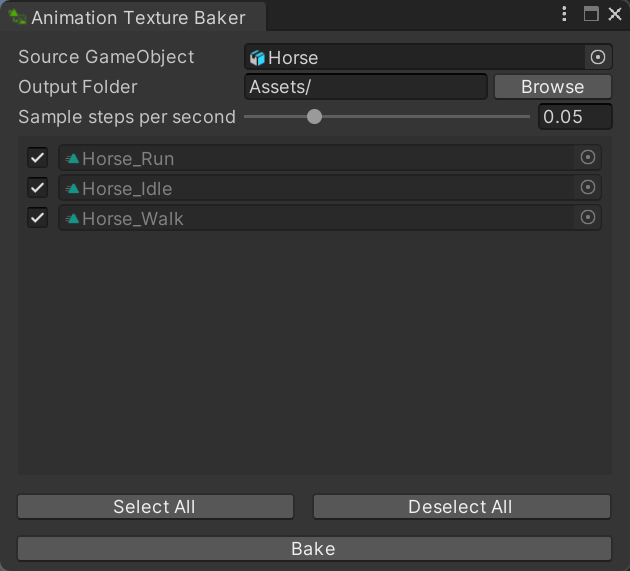
- Source GameObject – GameObject whose Animator, skinned meshes and animation clips will be baked into animation textures.
- Output Folder – Project-relative folder where the baked textures, meshes, materials and metadata assets will be created.
- Browse – Choose the project folder that will receive the baked animation assets.
- Sample steps per second – Time interval, in seconds, between sampled animation frames. Smaller values create smoother playback but more texture data.
- Select All – Enable every animation clip in the list for the next texture bake.
- Deselect All – Exclude every animation clip in the list from the next texture bake.
- Bake – Sample every enabled animation clip from the target, pack vertex animation data into textures and create the output assets.
Use
Open the tool from CGF/Animation/Animation Texture Baker in the Unity editor.
Use the controls listed in Reference to configure the window workflow.