
Files: CGFTweenAnimationHierarchyEditorTool.cs
Path: "CGF/Editor/Tools/TweenAnimation"
Menu: "CGF/Animation/Tween Animation Hierarchy Editor"
Description
Tool that remaps hierarchy paths stored by CGF tween animation property tracks.
Reference
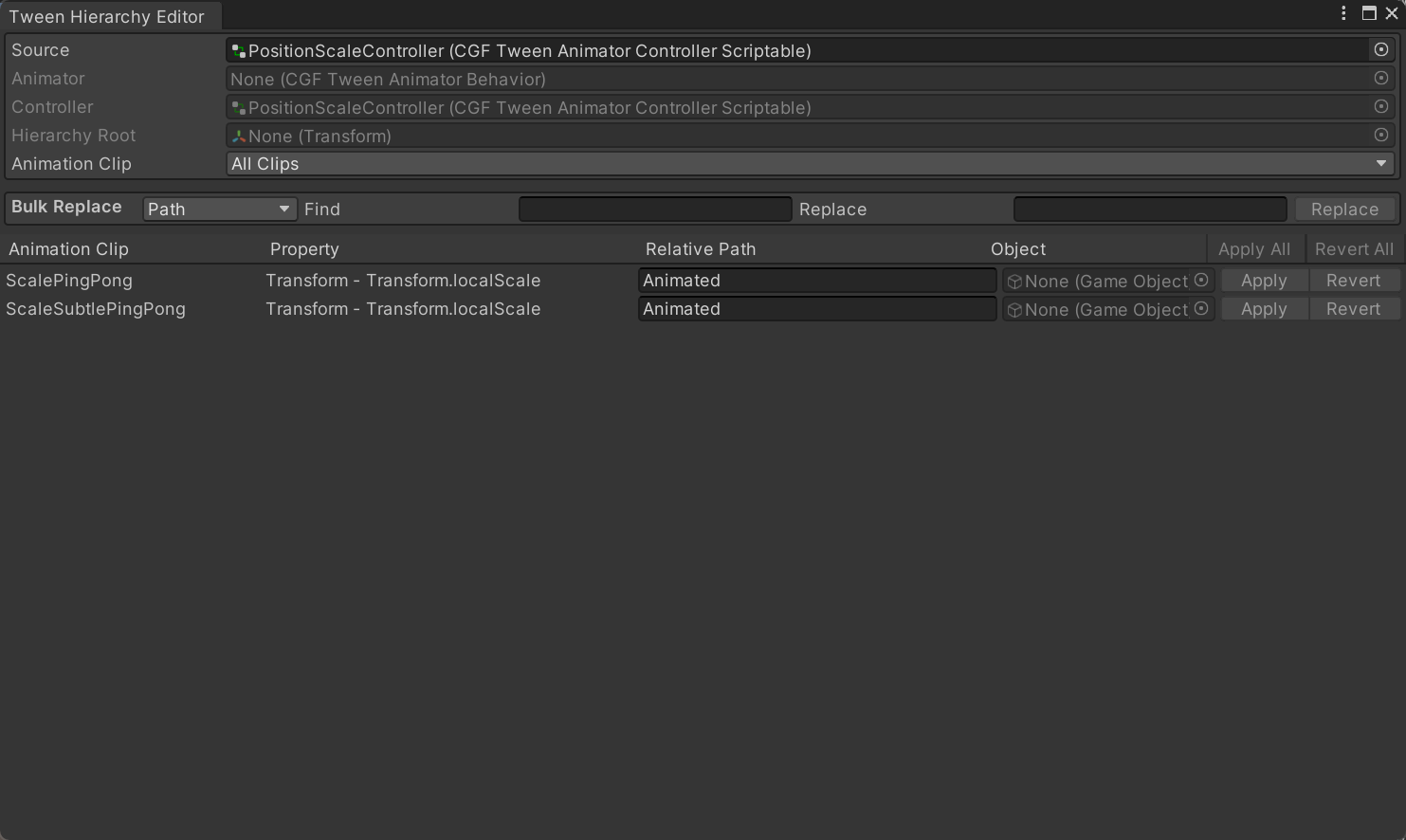
- Source – A CGFTweenAnimatorBehavior, controller or tween animation clip.
- Controller – Tween Animator Controller assigned to the selected Tween Animator and explored by this hierarchy view.
- Hierarchy Root – Root transform used to resolve animation binding paths.
- Bulk Replace
- Find – Exact hierarchy path currently stored by the animation bindings to change.
- Replace – New hierarchy path written to every animation binding that matches the Find path.
- Replace – GameObject that replaces the matching binding target.
- Replace – Prepare path changes for every displayed binding that targets the selected path or GameObject.
- Apply All – Write every pending hierarchy-path change to the current Tween Animation Clip.
- Revert All – Discard every pending hierarchy-path edit and restore the paths stored in the current clip.
- Apply – Save this edited hierarchy path to the track's animation binding.
- Revert – Discard this unsaved path edit and restore the binding's stored hierarchy path.
- Animator – Scene Tween Animator whose hierarchy is used to resolve the displayed animation bindings.
- Find – GameObject currently referenced by matching animation bindings.
Use
Open the tool from CGF/Animation/Tween Animation Hierarchy Editor in the Unity editor.
Use the controls listed in Reference to configure the window workflow.